
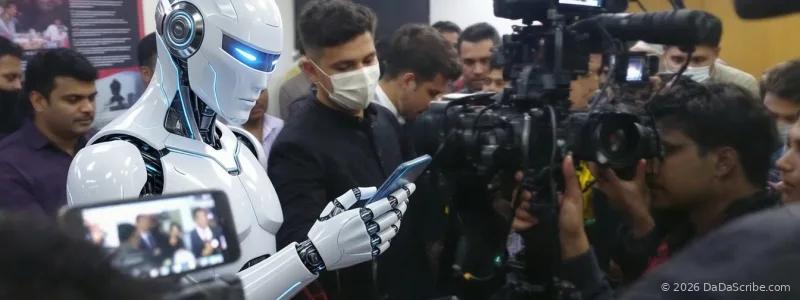
You're at a press scrum with eight other reporters, phones extended toward the spokesperson. You're recording an interview at a busy coffee shop. You're calling a source who's walking down a Manhattan street. You hit stop knowing this conversation matters.
Then you run it through your transcription tool.
The output is chaos. Missing words where a truck passed. Phantom phrases the AI invented to fill gaps. Speakers swapped mid-sentence because overlapping voices confused the model. Quotes you can't trust.
The standard advice doesn't help: "Use a better microphone." "Record in a quiet room." "Control your environment."
But breaking news doesn't wait for ideal recording conditions. Press conferences aren't held in soundproof studios. And sources don't reschedule because there's construction outside your window.
If you're a journalist working in the field, you've probably learned to live with bad transcripts and hours of manual cleanup. You shouldn't have to.
Most transcription advice assumes you control the recording environment. Field journalism is the opposite: you work where the story is, not where the acoustics are good.
The Prevention Myth: Why "Buy a Better Mic" Isn't the Answer
Blog posts and guides for journalists who need transcription follow a pattern. Gloss over the real problem, then recommend better equipment. Rev's blog suggests human transcription for noisy audio. GlyphAI's guide walks through microphone selection and recording tips. Wisprs has a checklist that starts with "record a test clip" and "minimize background noise."
This advice works if you're recording a podcast in a treated studio. It fails if you're a field journalist.
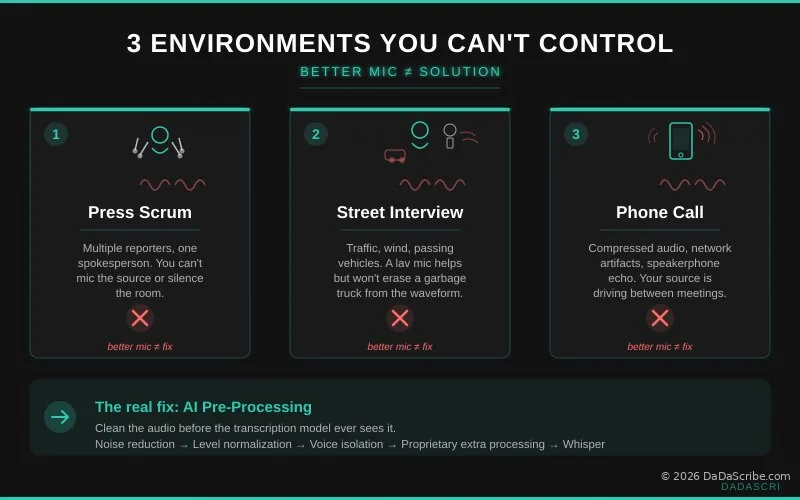
Real journalism happens in three environments no equipment upgrade can fix:
Press scrums. Multiple reporters, one spokesperson, everyone recording on whatever device they have. You can't mic the source. You can't silence the room. You get what you get.
Outdoor interviews. Street noise, wind, passing vehicles. Your lav mic helps relative to a phone's built-in mic, but it doesn't make a garbage truck disappear from the waveform.
Remote phone calls. Compressed audio, network artifacts, the source's speakerphone echo. Half the time the person you're interviewing is driving or in a hallway between meetings.
Every major guide for journalist transcription treats these as edge cases. In practice, they're most of the job.
What Noise Actually Does to Your Transcript
Speech-to-text models are pattern matchers. Feed them clean, isolated speech and they perform well. Feed them speech buried in environmental noise and the pattern matching breaks down.
Background noise increases what researchers call Word Error Rate (WER), but that technical term undersells the real problem. Noise doesn't just cause missed words. It creates phantom words: the AI filling gaps with what it thinks it should have heard. It breaks speaker diarization, the system that labels who said what. A single second of loud background noise can corrupt several seconds of surrounding context in the transcription model.
If you've ever seen your transcription tool turn "and then we interviewed the mayor" into "an thin we inner viewed the mayor," you've seen noise-induced error in action. If you've ever had two speakers merged into one because a door slammed mid-sentence, you've seen diarization failure. If you've ever tried translating a noisy transcript into another language and watched the errors multiply, you've seen the worst-case scenario.
The compounding effect is what kills productivity. A transcript that's 90 percent accurate sounds usable until you realize the 10 percent of errors cluster around the most important moments. Those are the parts where background noise was loudest, which often coincide with the most newsworthy quotes. The source just revealed something, the room erupts with follow-up questions, and that's exactly the 15 seconds your transcript turns into gibberish.
This is also why pricing models that charge per minute or per hour of audio are misleading for journalists. You're not paying for 60 minutes of clean podcast audio. You're paying for 60 minutes of chaotic field recording, and the cleanup cost is hidden in the editing time you spend after the transcript arrives.
Pre-Processing vs. Raw Transcription: The Technical Fix
Most transcription tools work the same way: audio goes in, text comes out. The speech model gets whatever you feed it, noise and all. This is the standard approach at Otter.ai, Rev's AI tier, and most consumer transcription services.
DaDaScribe works differently. Before audio reaches the speech model, it goes through a proprietary pre-processing pipeline:
- Noise reduction isolates speech from environmental sounds: traffic, air conditioning, room echo
- Level normalization evens out volume drops and spikes so the model gets consistent signal
- Voice isolation separates overlapping speakers before transcription begins
- Proprietary extra processing applies additional cleanup tuned specifically for real-world recording artifacts
- Then, and only then, does Whisper receive the cleaned audio for transcription
The analogy is straightforward. Hand a photographer a lens covered in fingerprints and dust, and the camera doesn't matter: the photos will look bad. Clean the lens first, and the same camera produces crisp images.
Transcript accuracy works the same way. The model matters. But what the model receives matters more.
DaDaScribe is built on Whisper, the same foundation used by much of the transcription industry. The difference is that DaDaScribe adds four cleanup stages before Whisper ever sees the audio. This is why DaDaScribe can deliver 95.5% accuracy on regular speech. It's also why DaDaScribe handles noisy field recordings that break tools running raw Whisper.
The speech model matters. But what the model receives matters more. Clean the audio first, and the same model produces a measurably better transcript.
Real Examples from DaDaScribe Demos
You don't have to take our word for it. Two demos from our public library illustrate what pre-processing delivers in practice.
Beyoncé - Halo (Music Track)
Music transcription is one of the hardest problems in speech-to-text. Layered instrumentation, varying vocal levels, reverb, and sung (not spoken) delivery all push accuracy down. On this 3-minute, 45-second track, DaDaScribe produced a clean, formatted transcript in 1 minute and 36 seconds of processing time. Across all song lyrics processed on the platform, DaDaScribe averages 85 percent accuracy, a strong result for music audio, which routinely breaks general-purpose transcription tools.
If the pipeline can pull clean lyrics from a fully produced music track with drums, bass, and layered harmonies, a noisy interview recording is well within reach. You can see the full output, including timestamps, speaker labels, and formatted text, at the Halo demo page.
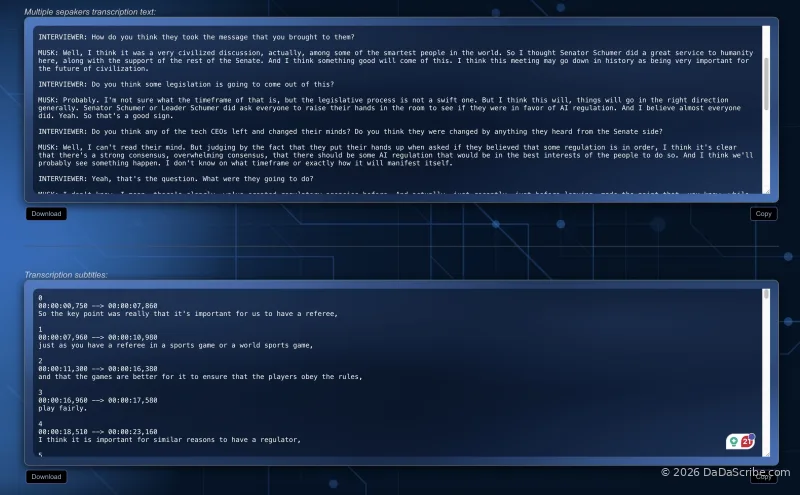
Elon Musk on AI Regulation - CNBC Interview
This 5-minute, 22-second press interview was processed in 2 minutes and 33 seconds and output in five languages simultaneously: English, Chinese, French, Portuguese, and Spanish. For a journalist covering international news, this is the difference between getting a translated transcript 90 minutes later from a human service and getting it in under 3 minutes from DaDaScribe.
View the Elon Musk CNBC demo →
How DaDaScribe Compares on Noisy Audio
Media Copilot's May 2026 hands-on review tested five transcription tools with real journalist audio, including a Trump press gaggle recorded on Air Force One. That's a genuinely noisy, multi-speaker recording. Every tool struggled. Some struggled more than others.
| Feature | DaDaScribe | Otter.ai | Rev AI | Sonix |
|---|---|---|---|---|
| Audio pre-processing | ✅ Proprietary multi-stage | ❌ Raw transcription | ❌ Raw transcription | ❌ Raw transcription |
| Handles field noise | ✅ Noise reduction + normalization | ⚠️ Struggles on busy audio | ⚠️ Human review needed | ⚠️ Best raw accuracy, no pre-cleanup |
| YouTube URL input | ✅ Direct paste | ❌ Upload required | ❌ Upload required | ❌ Upload required |
| Built-in translation | ✅ 120+ languages | ❌ No translation | ❌ Separate service | ❌ Separate service |
| Monthly cost (~10 hrs) | $4.99/mo (3 hrs), $9.99/mo (8 hrs) or $29.99/mo (30 hrs) | $16.99/mo | ~$150 | ~$72 |
The pattern is clear. Most transcription tools do one thing: audio in, text out. DaDaScribe adds a cleanup stage before the AI ever sees the audio. If you're recording in conditions you can't control, that extra stage is the difference between a usable transcript and hours of manual editing.
Pro Tips for Journalists
Combine YouTube Input and Translation for International Press Conferences
Foreign governments and international organizations now publish most press conferences and briefings on YouTube. Instead of downloading the video, extracting the audio, and uploading it to a transcription service, paste the YouTube URL directly into DaDaScribe. Transcript plus translation in a single step, typically faster than the length of the video itself.
Real workflow example: Reuters posts a press conference in French. You paste the YouTube link into DaDaScribe. In under 3 minutes you have an English transcript with timestamps, ready to quote. No intermediate downloads, no audio extraction tools, no separate translation step.
Use Speaker Labels for Multi-Source Stories
DaDaScribe automatically labels speakers in multi-person recordings. When you're pulling quotes for a story with four or five sources, you don't want to manually annotate who said what in a 45-minute group interview.
Don't Let a Noisy Room Kill Your Story
Background noise is the single biggest enemy of accurate interview transcription. Better microphones help at the margins. The real solution happens after you hit stop: in the processing pipeline that cleans your audio before the speech model ever sees it.
That's the approach DaDaScribe was built around. Multi-stage pre-processing. Direct YouTube URL support. Translation built into the same pipeline. And output that deletes itself in an hour so your sources stay protected.
No credit card required. Paste a YouTube link or upload a recording and see how our pre-processing pipeline handles the real-world audio conditions you actually work in.
Explore more transcription tips for journalists in the DaDaScribe Learning Center, including our guides on AI vs human transcription and choosing the right transcription workflow for breaking news coverage.
Comments & Questions
Please log in or sign up for a free account to leave a comment or question.
No comments yet. Be the first to ask a question!
Display more comments…