
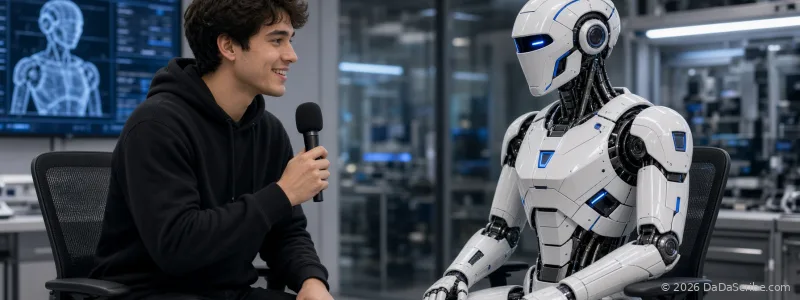
You recorded a great episode. Three people, ninety minutes, real chemistry. The transcript comes back twenty minutes later, and it is one continuous wall of text. Somewhere in there, your guest made the single most quotable statement of her career. Finding it means re-listening to the whole episode with your finger on the pause button.
That is the "who said what" problem, and it is the difference between a transcript you can work from and a transcript you have to fix by hand. The fix has a name: speaker diarization. It is the process that splits a recording by voice and labels each part with the person who spoke. This article is a decision guide. When diarization matters, when it doesn't, and what breaks it.
Why diarization matters for creators
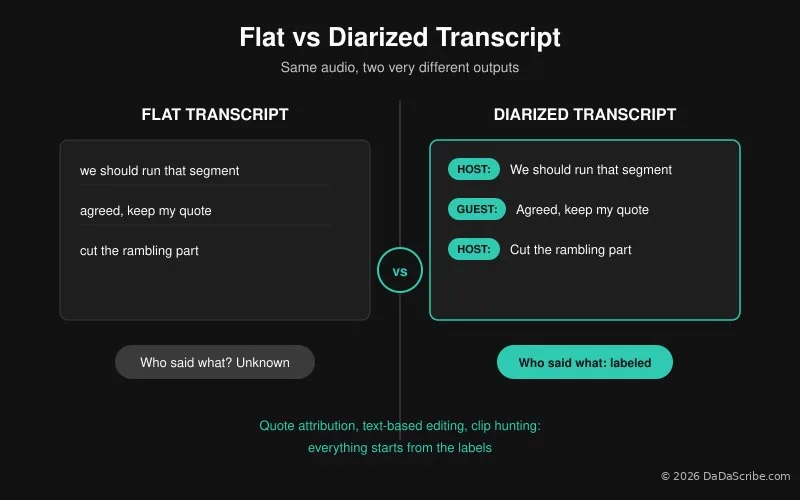
Speaker diarization takes a multi-person recording and tags every fragment with its speaker: "Speaker 1:", "Guest:", "Host:". It sounds like a small convenience. It isn't. It changes what a transcript can do for you.
Consider what breaks without it:
- Quote attribution. "Your guest said X" requires knowing which parts of the transcript are your guest's. Without labels, that means re-listening. With labels, the attribution is already in the document.
- Text-based editing. If you edit your podcast in a text-based editor (delete a sentence, the audio cut follows), you need to know who owns every sentence before you cut. Podsuite's explainer on diarization makes exactly this point about editing workflows.
- Repurposing. Quote graphics, guest promo clips, and social posts all start with finding the right speaker at the right timestamp.
Here is the part most creators don't know: several popular podcast transcription tools do not include diarization at all. Podtyper's own blog states that speaker diarization "is not currently included" in their tool and points readers toward separate transcription APIs. The alternatives for getting it yourself are developer-grade. You can add diarization through APIs like AssemblyAI or Speechmatics, as MindStudio's workflow tutorial describes, but that means writing code, handling API keys, and building your own pipeline around it. For a podcaster who records, edits, and publishes on a weekly schedule, that is not a workflow. That is a second job.
This is where DaDaScribe's approach differs. Speaker diarization is built into the transcription job itself. You upload your episode, the guided workflow asks you for the speaker order before processing starts, and the transcript comes back with labels in place. No code required. And if you do want programmatic access, for instance to run diarized transcription from your own publishing pipeline or app, DaDaScribe also offers an API, so the developer route stays open without third-party providers.
When diarization matters most
Not every episode needs it. Here are the five situations where it earns its place.
Guest interviews
The interview transcript exists to be mined. Show notes need the guest's key claims. Promo clips need the guest's best thirty seconds. Quote cards need correct attribution, and a misattributed quote in your show notes is worse than no quote at all. A diarized transcript lets you search the guest's name, jump to the timestamp, and pull what you need in minutes.
Two-host shows
When you and your co-host split the episode into sections, a labeled transcript shows you exactly where the handoffs happen. It also protects the editing process: if you trim a tangent, you can see whether the cut lands in your half or your co-host's, and whether it breaks a response chain. Co-hosts who read the episode back in text form catch imbalance too. If one host dominated a segment, it shows up in the label counts before it shows up in listener complaints.
Panels and roundtables
Three or more speakers, frequent interruptions, ideas flying in every direction. A flat transcript here is close to useless. A diarized one becomes a map: who proposed what, who objected, who followed up. If you need to send a guest their segment for review, the labels make that a five-minute job instead of an afternoon.
Remote double-enders
When every guest records on their own connection and their own mic, each voice arrives on a distinct channel with distinct characteristics. Diarization plus separate tracks is the most reliable combination there is.
Repurposing
A diarized transcript is a clip-hunting database. Search by speaker, pull the timestamp, cut the clip, export the caption file. One episode becomes a week of social content built almost entirely from one person's lines.
What breaks diarization, and what to do about it
Now the part that most transcription marketing pages skip: diarization is not perfect, and pretending otherwise helps nobody.
According to our internal processing data, diarization-only transcriptions average around 85% accuracy at best. Not 99%. Not near-perfect. Eighty-five percent, under favorable conditions. Any service promising flawless speaker separation on messy audio is selling something the technology cannot deliver.
Three conditions hurt diarization the most:
- Speakers talking over each other. When two voices overlap in the same moment, the model has to decide where one speaker ends and the other begins. Heavy crosstalk makes that guesswork.
- Similar voices. Two hosts with similar tone and register are harder to keep apart than a deep voice and a bright voice. The model keys on vocal characteristics; when they converge, confusion follows.
- Uneven audio levels. One speaker is loud and close to the mic. The other is far away or quiet. Level differences distort the separation, and the quieter voice absorbs most of the errors.
Add the usual field conditions: a shared single microphone, a guest joining from a phone speaker in a moving car, background noise from a coffee shop. Each one pushes the diarization accuracy down.
Diarization does not fail randomly. It fails predictably, in exactly the conditions you can control before you hit record.
What fixes it happens before transcription even starts. DaDaScribe runs every file through a pre-processing pipeline: noise reduction, level normalization, voice isolation, and a proprietary optimization pass. Normalization matters especially here, because it pulls each speaker's level toward a common range before the model separates voices. In our published AI vs Human Transcription comparison, DaDaScribe's average accuracy is 95.5%, against a 61.92% industry AI average cited by Ditto Transcripts (a figure worth taking with a grain of salt, since it comes from a human transcription service with its own reason to lowball AI). Our published analysis also attributes roughly 20 to 25 percentage points of transcription accuracy to the pre-processing pipeline itself.
For a fuller walkthrough of that pipeline on hard audio, see our guide to fixing noisy interview transcripts.
Two more things you control:
- Record each remote guest on their own track when your platform allows it. Diarization plus separate channels is the most reliable combination available.
- When you know two speakers sound alike, say so. DaDaScribe's guided workflow collects the speaker order before processing. That information steers the labeling.
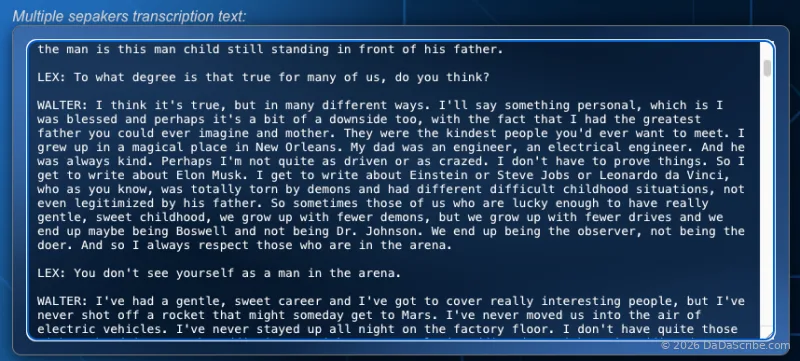
You can see real multi-speaker examples, with speaker labels and processing details, on the DaDaScribe demos page.
What makes diarization almost perfect
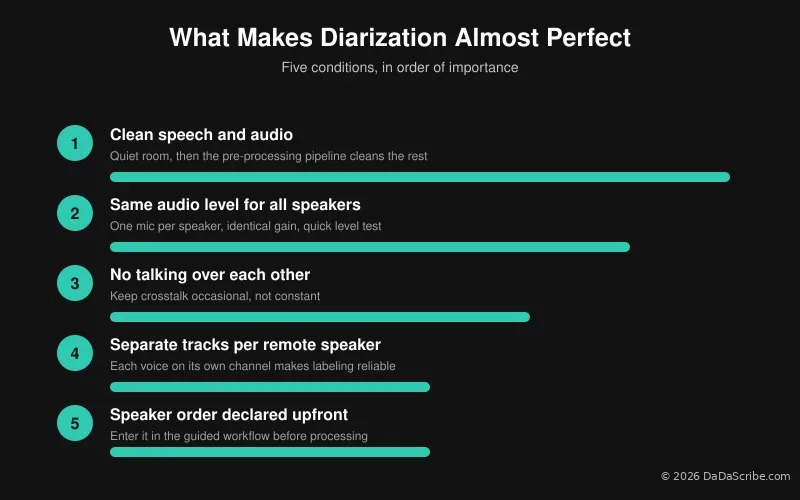
Diarization only reaches its best results when the recording cooperates. Fix the source material and the speaker labels get close to flawless. Here is the checklist, condition by condition:
| Condition | Why it matters | How to get it |
|---|---|---|
| Clean speech and audio | Noise and distortion bury the voice characteristics the model keys on | Record in a quiet room; DaDaScribe's pre-processing pipeline (noise reduction, voice isolation) cleans what you can't control |
| Same audio level for all speakers | One loud voice and one quiet voice distort the separation; the quieter speaker absorbs most labeling errors | One mic per speaker, identical gain settings, quick level test before recording; normalization in the pipeline evens out the rest |
| No talking over each other | Overlapping voices force the model to guess where one speaker ends and the other begins | Keep crosstalk occasional; energetic interruptions are fine, constant interruptions are not |
| Separate tracks per remote speaker | Each voice arrives on its own channel with its own characteristics, which makes labeling far more reliable | Use your remote platform's per-guest track recording |
| Speaker order declared upfront | Telling the system who speaks first anchors the labels correctly | Enter the speaker order in DaDaScribe's guided workflow before processing starts |
Meet these conditions and diarization performs at the top of its range. Skip them, and the ~85% average from our internal data becomes your ceiling. The recording decides which outcome you get.
Pro tips for the most accurate multi-speaker transcription
If you want the most accurate multi-speaker transcript possible, the single most important factor is the recording itself. Make sure the source material includes clean speech, all speakers are at the same audio level, and they are not talking over each other for the most part. Otherwise the results can be unpredictable and inaccurate, no matter which tool you use.
In practice that means:
- One mic per speaker, or separate tracks in your remote recording platform. Everyone gets their own channel. Choosing a tool for multi-guest shows? See DaDaScribe vs Descript for podcasters.
- Same gain settings for everyone. Do a quick level test before the conversation starts; adjust until all voices land at a similar volume.
- Keep crosstalk occasional. Energetic interruptions are part of a good conversation. Constant talking-over-each-other is where diarization accuracy collapses.
- Use the guided workflow. Enter the speaker order when DaDaScribe asks for it. It takes seconds and it steers the labels.
- Multilingual panels are covered too. DaDaScribe transcribes from 99 source languages, so a panel recorded in Spanish or German still comes back with speaker labels, and the output can be translated into more than 120 languages for global show notes.
- Feed the diarized transcript into your text-based editor for surgical guest-side edits, without touching the host's audio.
- Test before you commit a full episode. Run the same recording twice, once with heavy crosstalk and once without, and compare the labels. Ten minutes of testing tells you more about your setup than any article can.
The best diarization accuracy comes from the recording, not the model. Clean speech, level voices, and some restraint on interruptions buy you more accuracy than any setting you can tweak afterward.
For how transcription accuracy compares across tools and methods, our AI vs human transcription article has the full data.
Try it on your next recording
You know the checklist now. Your next multi-guest episode is the perfect test: apply the recording conditions from the table above, clean speech, level voices, minimal crosstalk, then upload it and see what comes back. You won't be disappointed!
DaDaScribe transcribes it with speaker labels, automatic proofreading, and SRT subtitle files included. The free plan covers ten minutes, which is enough to test the worst ten minutes of your worst panel. Record directly in your browser at dadascribe.com, upload a file, or paste a YouTube URL. Results arrive by email when processing finishes.
Start free at dadascribe.com, or browse real multi-speaker examples on the demos page.
Comments & Questions
Please log in or sign up for a free account to leave a comment or question.
No comments yet. Be the first to ask a question!
Display more comments…